
What Does the Apple HomeView Do? A Complete Guide
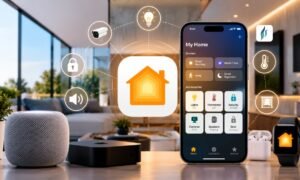
Imagine controlling your home, checking your schedule and making video calls without reaching for your phone. What if one screen could bring these tasks together?
Apple HomeView is a home display that combines home controls, communication, entertainment and personalised assistance in one place. Announced on October 13 2026, it features a 7-inch Liquid Retina display and Siri AI, Apple’s voice assistant powered by Apple Intelligence. It is designed to give household members access to compatible smart home accessories and selected personal information from a shared screen.
What Is Apple HomeView and How Does It Work?
Apple HomeView is a display designed to serve as a central point for managing everyday activities at home. It combines a touchscreen, a speaker, a camera and voice controls in a single device.
HomeView lets users control smart home accessories, make FaceTime calls, access supported personal information, and interact with Siri. It also recognises up to six people, allowing it to personalise the experience for household members.
For example, you could check your calendar while preparing breakfast, adjust lights using voice commands, or make a FaceTime call without picking up your iPhone.
Unlike a phone or tablet that moves around with its owner, HomeView is designed to stay in a location, such as a kitchen counter, bedside table or hallway wall. Its purpose is to make everyday tasks easier to access from a shared space.
Make FaceTime Calls and Stay Connected
HomeView supports FaceTime video calls, making it useful for households that regularly communicate with family and friends.
Its camera supports Centre Stage, a feature that helps keep participants in view during supported video calls. This can be particularly useful when you move around a room or when several people join a conversation.
Because HomeView stays in a shared location, family members can use it to connect with others without needing to locate their phones. Its integrated speaker also allows conversations to take place without wearing headphones.
Enjoy Music, Videos and Photos
HomeView combines visual experiences in a compact display. It supports music playback, photo displays and other compatible entertainment experiences.
However, buyers should understand a limitation: reporting at launch indicates that HomeView does not have native support for key apps such as Apple Music and Apple TV. Users need to use AirPlay from an iPhone for those services. Check Apple’s software documentation before purchasing if direct standalone app access is important to you.
The device also supports Handoff for activities, allowing users to transfer supported experiences between their iPhone and HomeView.
How Does Apple HomeView Protect Your Privacy?
A shared smart display needs to balance convenience with privacy. HomeView addresses this by recognising up to six people and adapting the screen to provide experiences.
Apple says the device can display content from supported apps, including Messages, FaceTime, Calendar, Reminders and Find My. This means different household members can access information instead of sharing one identical screen.
Apple also emphasises privacy and security in its design. Its personalized Siri features can draw on information from an Apple Intelligence-enabled device to provide relevant responses.
Nevertheless, personalisation depends on the devices, account configuration and supported features. Users should review Apple’s privacy information and device settings before enabling access to information.
Households should also consider where they install the display and whether its camera and microphone settings suit their needs. Understanding these controls is just as important as choosing the location.
How Much Does Apple HomeView Cost in India?
Apple lists both the tabletop and wall-mounted versions of HomeView at ₹39,900 in India. Apple announced the product on October 13 2026, opened pre-orders that day, and scheduled availability to begin on November 13 2026.
The tabletop version is designed for surfaces such as kitchen counters and bedside tables. It features a speaker base and an adjustable hinge for viewing.
The wall-mounted model offers an alternative for hallways and entryways. Apple lists the tabletop model in silver, starlight, and rose space grey, while the wall-mounted version comes in silver and space grey.
Wall mounting requires a mounting solution. Apple lists compatible wall-mount options separately with prices starting at ₹6,900 for the Power Mount USB-C Wall Connector and ₹8,900 for the Power Mount AC option.
Check the Apple HomeView store page for current pricing, availability and accessory requirements before placing an order.
Is Apple HomeView Worth Buying?
Whether HomeView is worth buying depends on how you use technology at home.
It may suit households that already use iPhones, Apple services and compatible smart home accessories. An available screen can make everyday controls, calls and selected personal information easier to access for everyone in the household.
However, the price deserves consideration. At ₹39,900, HomeView costs more than many basic smart speakers. Its value depends on whether you will use the display, personalised features and smart home controls.
It is also important to understand its limitations. Some functions require Apple devices, and certain entertainment services rely on AirPlay rather than native apps. Buyers should check compatibility before investing in accessories.
If you only need voice controls for a few lights, a less expensive smart speaker may be sufficient. If you want a display for shared household tasks, video calls and compatible home automation, HomeView may be a better fit.
Conclusion
Apple HomeView brings smart home controls, communication, and personalized assistance together in a shared display. Its appeal lies in making everyday tasks accessible from one convenient location rather than requiring users to reach for their phones.
For households already using Apple’s ecosystem, it could be a practical addition. Before buying, compare its features with your actual needs, check accessory compatibility, and consider the limitations of its entertainment options. That will help you decide whether a dedicated smart home display is worth the investment.